
Cutters and Special Objects

If you are a supporter then the green icon will take you to the tools carousel. Here you will find cutters that can be placed on a base to make holes in it on export and special decorations such as magent holders.
Specials
Section titled “Specials”Specials work the same way as any other decoration, but are kept here to stop them from cluttering up the decorations carousel. They are also often intended to go on the bottom or sides of a base. A good example is magnet holders. These can simply be dragged and dropped onto the bottom of a base in the same way as you would the top and then on export they will be joined together.
Cutters
Section titled “Cutters”Cutters have a green outline in the carousel and when you drag and drop them onto the base they will appear as translucent, green shapes.
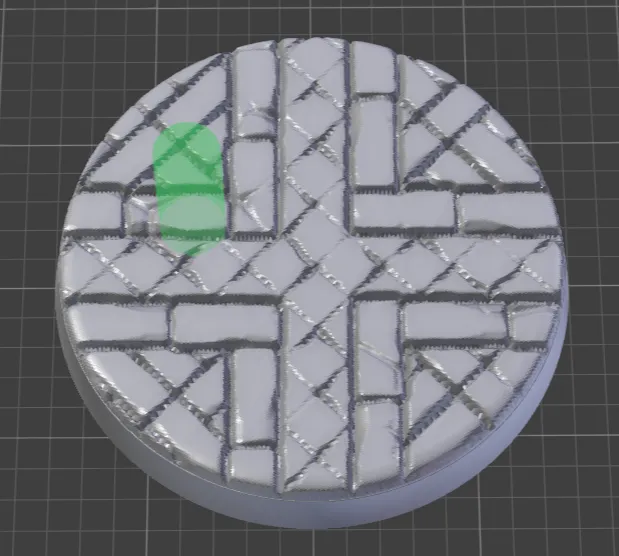
After you have placed your cutters clicking on the Preview button in the carousel header will bring up a dialog that contains the same options as the exporter. Clicking “Generate Preview” will produce a non-editable preview of the base with everything joined together and then the cutter applied.
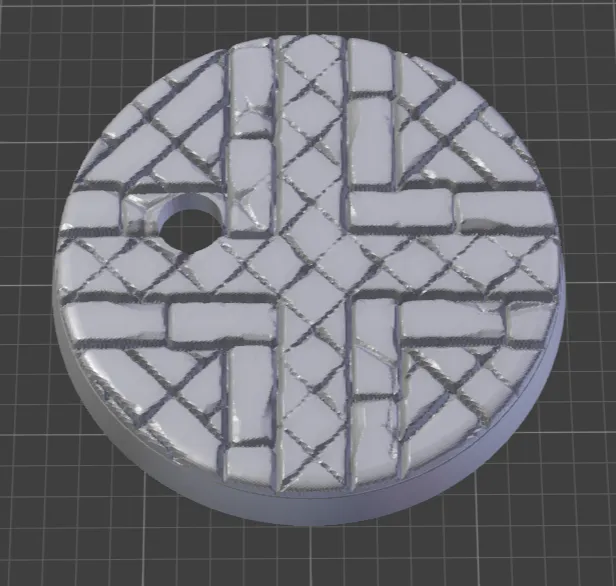
If you are happy with the result click Exit Preview to return to the main interface.
Cutters will cut through everything, including decorations.
Using Decorations as cutters
Section titled “Using Decorations as cutters”If you want to use a decoration as a cutter import it into the scene and then click on the ⓘ icon next to the decoration. This will bring up the decoration info panel. In the Object Type drop down choose Cutter and the decoration will turn green.
You can use this to do things like carve text into the top of a base or a decoration.