
Controls
Camera Controls
Section titled “Camera Controls”Basemancer’s camera controls are pretty simple.
Left click and drag rotates the camera, as does holding down the middle mouse button and dragging.
Right click and drag pans the camera.
Use the mouse wheel or press ctrl and middle mouse button and drag to zoom in and out.
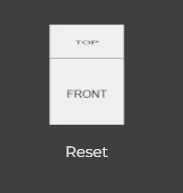
You can also use the view gizmo in the top left hand corner of the screen to set the camera angle and reset it by clicking on “reset”.
Undo / Redo and Reset Base
Section titled “Undo / Redo and Reset Base”
You can undo and redo your changes using the icons at the top of the screen, or use ctrl+z and ctrl+shift+z or ctrl+y to redo. Reset the Base by clicking on Reset Base.
Copy and Paste
Section titled “Copy and Paste”You can copy and paste decorations using ctrl+c and ctrl+v.
Performance Modes
Section titled “Performance Modes”
You can switch between performance modes using the buttons at the top of the screen.
Use potato or tortoise mode if the viewport starts to lag. This will reduce the resolution of the base and use a normal map to fake details.