
Edge Blending
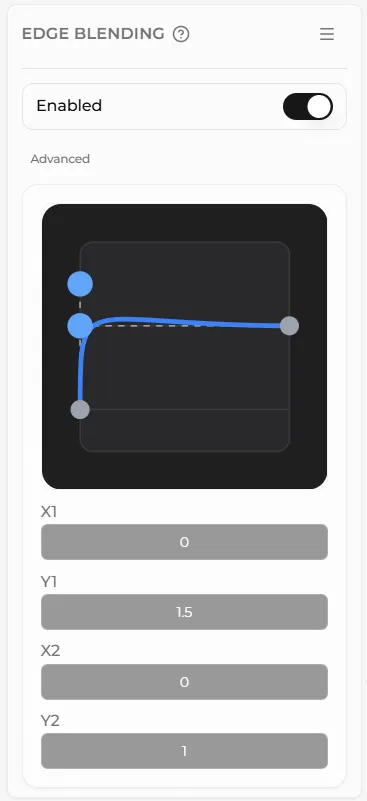
The edge blending panel can be used to control the amount of falloff or blending at the edges of the base topper.
This allows you to choose between a sharp or smooth transition between the base bottom and the base topper.
You can tune this transition by dragging on the handles of the graph or entering values into the inputs.
Edge blending tends to work best on bases with mid range organic or hand made detail.
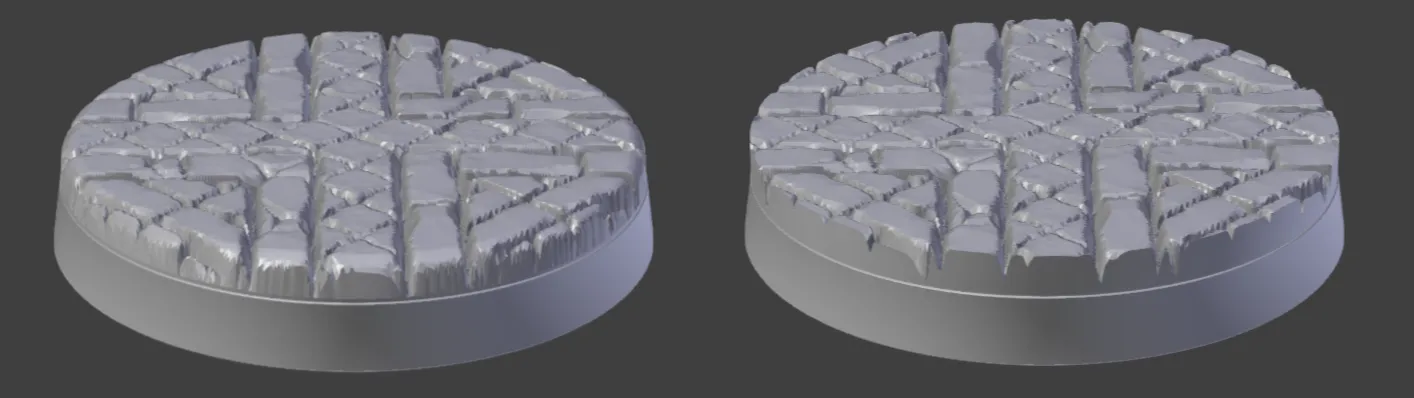
Edge blending works well on this brick cobbled base. It softens the edges slightly and also ensures that any thin, fragile parts are bevelled.
With edge blending enabled it still looks pretty good on screen but when printed out there will be some very thin slivers of brick that may not print correctly and will be easily damaged.
Disabling edge blending tends to work best for bases with very fine detail, for example a base with a gravel texture, or with very little detail, such as an industrial or clean sci-fi type texture.
