
Decoration Blending
Basemancer can blend or embed decorations into the surface to give a more natural look where a decoration sits on top of a natural surface such as gravel, sand or mud.
Decoration blending can also be used to indirectly sculpt the surface of the topper by turning the strength of the effect to its maximum so the topper surface fully envelops the decoration.
Blending can be controlled on a per texture layer basis and you can also turn it on and off for individual decorations.
Blend Decoration Panel
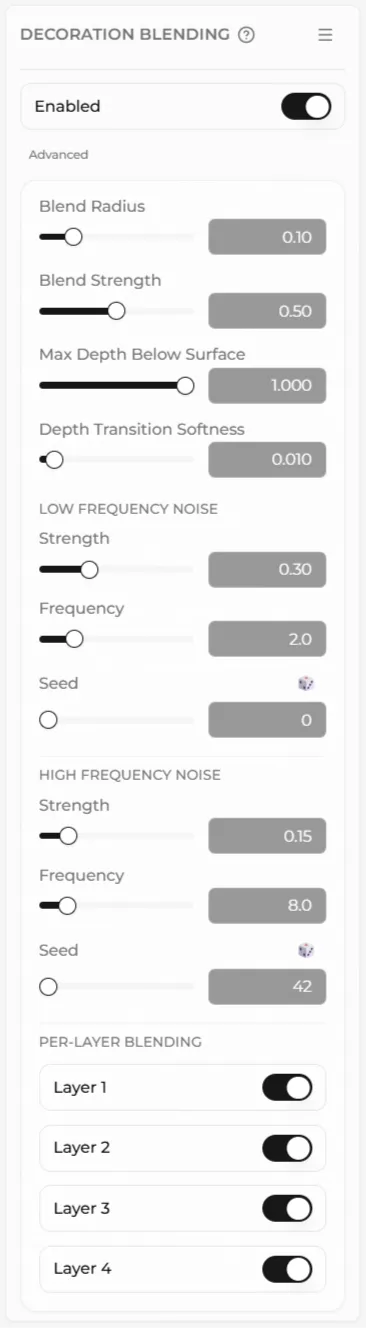
Section titled “Blend Decoration Panel”The Blend Radius control determines how far from the decoration the blending effect will extend.
The Blend Strength control determines how far up the decoration the blending will be applied.
Max Depth Below Surface determines how close to the surface of the topper a decoration has to be before it starts to blend.
The Depth Transition Softness control determines the blending effect between parts of a decoration that affect the blend and parts that don’t.
The Low and High frequency noise controls allow you tp control how random the blend is where it meets the decoration.
Per Layer Blending is where you can switch the effect on and off for each texture layer.
Object Info Panel
Section titled “Object Info Panel”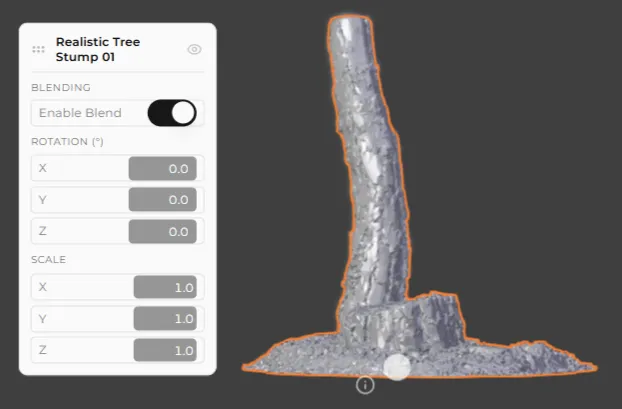
You can turn blending on and off for individual decorations by clicking on the ⓘ symbol next to them when they are selected and bringing up the object info panel.
Example
Section titled “Example”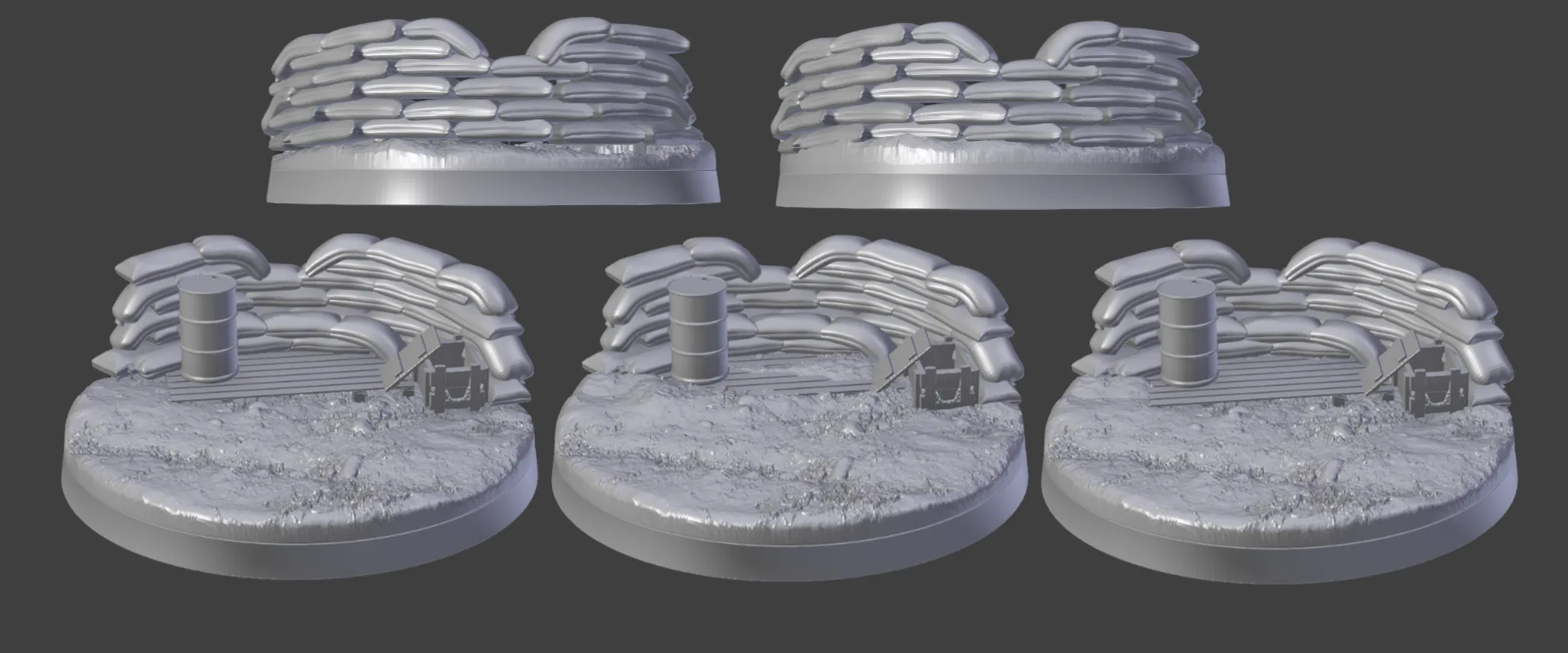
The effect can be quite subtle but adds an extra layer of polish to bases.
The top and bottom leftmost images show a base with decoration blending disabled. In the top left image there are gaps below some of the sandbags.
In the bottom left image the same thing is present. There are gaps below the sandbags at either end of the base.
The top right and center bottom images show the effect when decoration blending is applied to all decorations.
The base texture has been “pulled up” so it meets the sandbags at the bottom and in the bottom center row you can see if has alsobeen pulled up to partially bury the pallet and ammo crate.
The bottom rightmost image shows the effect with decoration blending turned off for the pallet, ammo box, oil drum and firing step sandbags.
The effect is still present on the sandbags at the end and also would be visible at the front.