
Turntable

Turntable Mode continuously rotates the camera around the center of your base and allows you to record a single rotation video of your base that you can loop and embed. To access turntable mode click on the Options icon in the bottom bar and open the Turntable Mode sub panel.
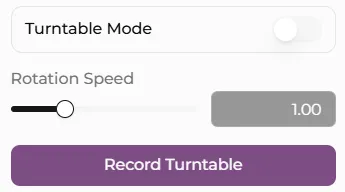
Use Rotation Speed to control how quickly it completes each revolution.
Click Record Turntable to capture one complete rotation. Basemancer hides the Options panel while it records and shows progress above the viewport. The progress display, mouse cursor, and other controls are not included in the finished video.
When the recording is ready, choose Save recording to select a location. Browsers without a location picker use their normal download behavior instead. The saved file will be MP4 or WebM, depending on which video format your browser can record.
The video contains one seamless rotation without audio. Use your video player or publishing platform’s loop option to repeat it continuously.