
Export Introduction
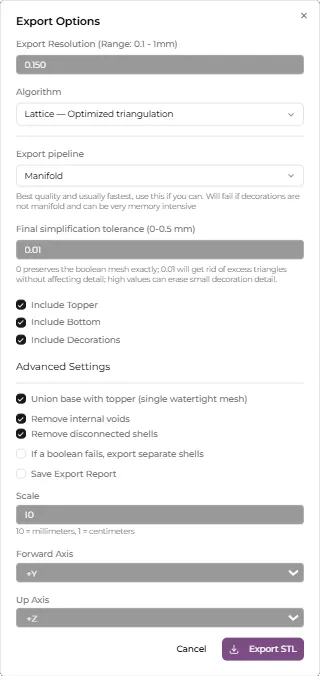
In Basemancer you can export the entire base including decorations as one piece, just the base topper, the base topper with decorations, or just the base bottom. You can’t export decorations on their own.
Basemancer tries to always export printable geometry. That means meshes that are 2-manifold (think watertight, with each edge connected to exactly 2 faces), orientable (has a defined inside and outside), don’t have self intersections and don’t contain unwanted edges, faces or vertices. It also has tools to keep the size of the output file sane, even when the base is very large, while preserving as much detail as possible.
Basemancer works best when all decorations are manifold and designed for 3D printing and where the base is within the “Normal” range for miniature bases, up to about 200x200mm. Basemancer can however handle non-manifold decorations, decorations with self intersections and very large bases, but the output will likely have to be reduced in quality and exports can take several minutes and a lot of memory.
Basemancer has two available exporters with different advantages and disadvantages. The first is the Manifold exporter. This takes already manifold geometry, uses traditional boolean operations to combine decorations with the topper, performs a post boolean simplification pass if required, and then outputs the resulting geometry as a .stl file
The Manifold exporter produces the best results visually that are 1-to-1 reproductions of what you see in the viewport. It is usually the fastest method and tends to produce the smallest files. However it will not work at all if any decorations are non-manifold, and can run out of memory on very large bases.
The OpenVDB exporter uses signed distance fields and voxelisation to remesh the base topper and any decorations. Signed distance fields can handle many meshes that Manifold cannot process, including self-intersecting or thin geometry, provided Basemancer can still identify valid material bodies and cavity boundaries for the decoration fusion check. OpenVDB can also handle complex intersections in a reliable way and you can use the settings to close small holes and gaps between objects.
The disadvantage of OpenVDB is that the voxelisation step will result in a loss of detail and a softening of the surface. Unless the settings are appropriate it can also produce very large files. But with the right settings it can use less memory for only a small drop in quality.
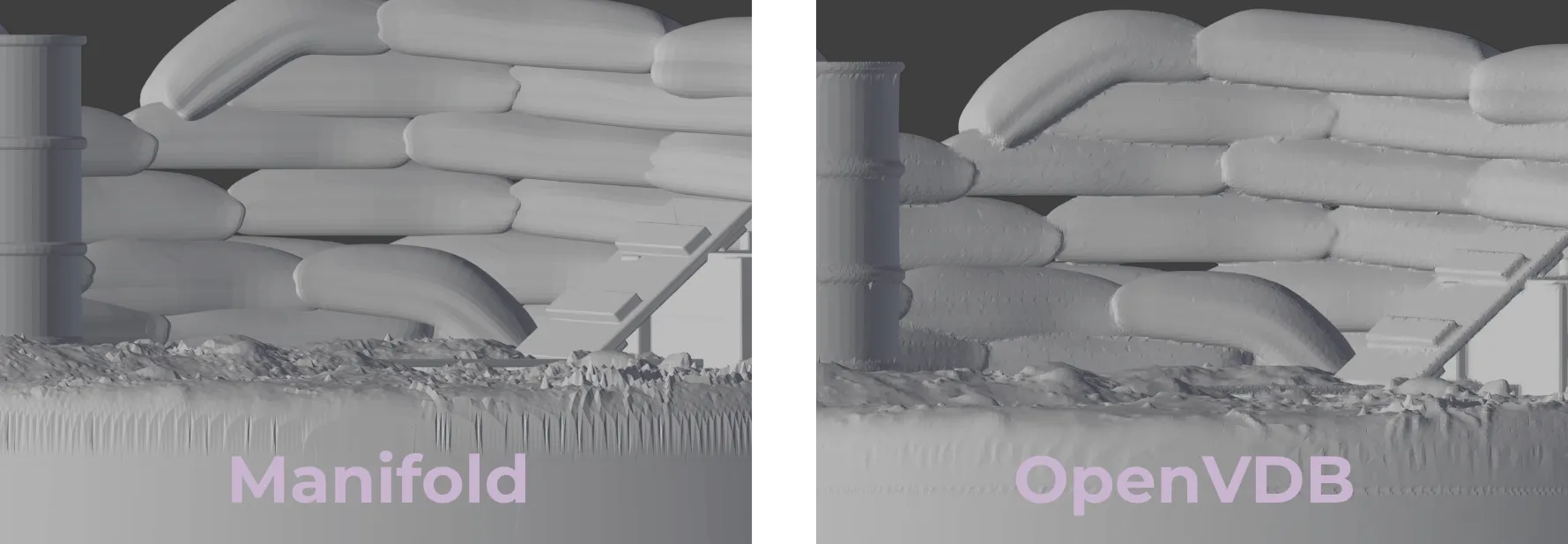
At the default settings the OpenVDB export is much softer and results in a visible drop in detail when zoomed in. In reality this base is only 50mm x 50mm, so the loss in detail is barely perceptable.
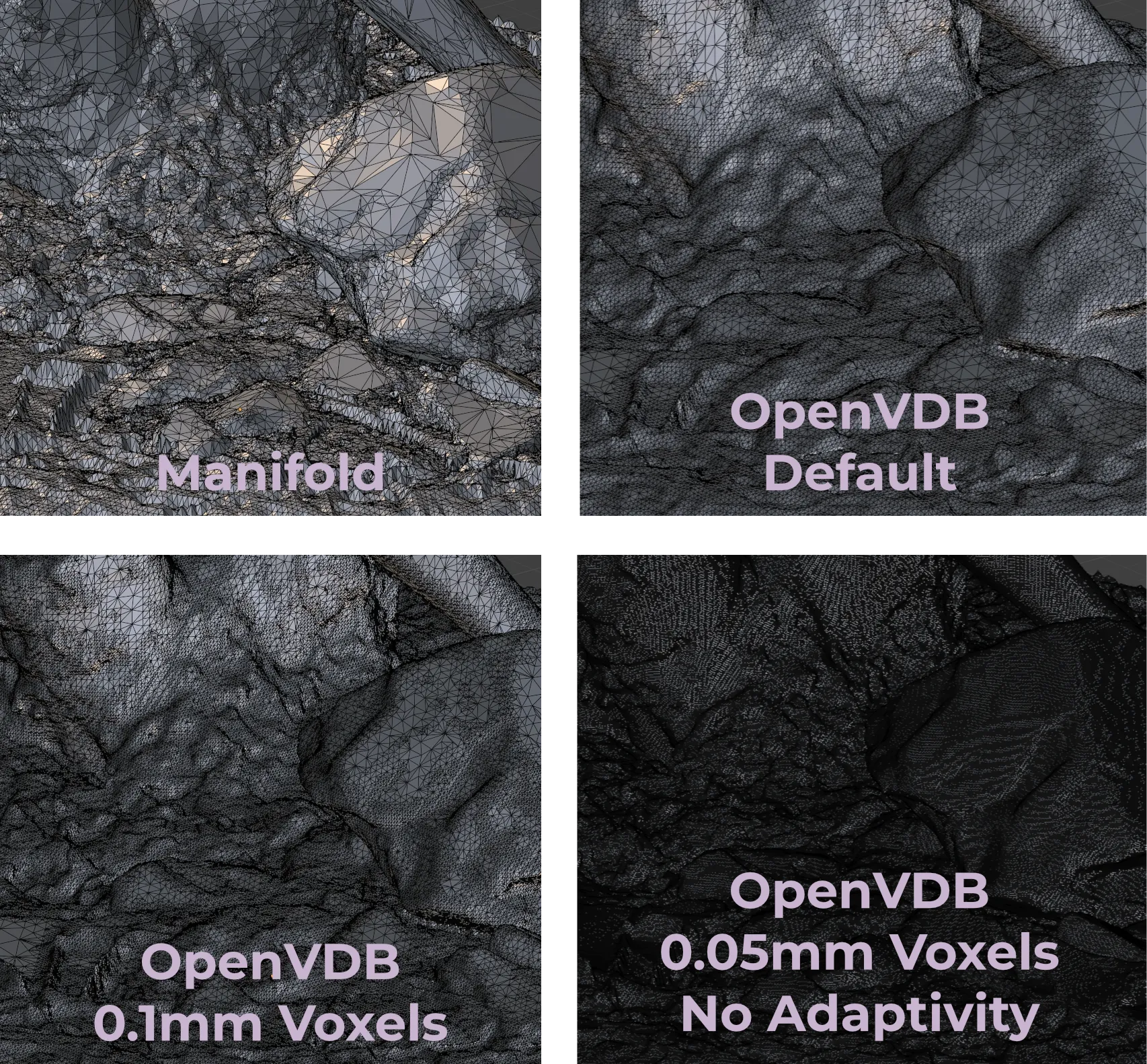
These wireframes show the difference between the Manifold and OpenVDB exporters up close. The Manifold export is a 1-to-1 representation of what is seen in the viewport. At its default settings the OpenVDB export produces a softer, but denser mesh. Using smaller voxels but with adaptivity (mesh simplification) still turned on produces a higher resolution mesh that captures more of the detail while preserving a relatively sane file size (41MB vs 16MB). Reducing the voxel size even further and turning adaptivitiy off results in an extremely dense mesh that captures all the detail at the expense of outputting a 300MB file. Despite this the OpenVDB export only used 360MB memory at its peak compared to 717MB for the Manifold export.